
My Excel work in COmm240
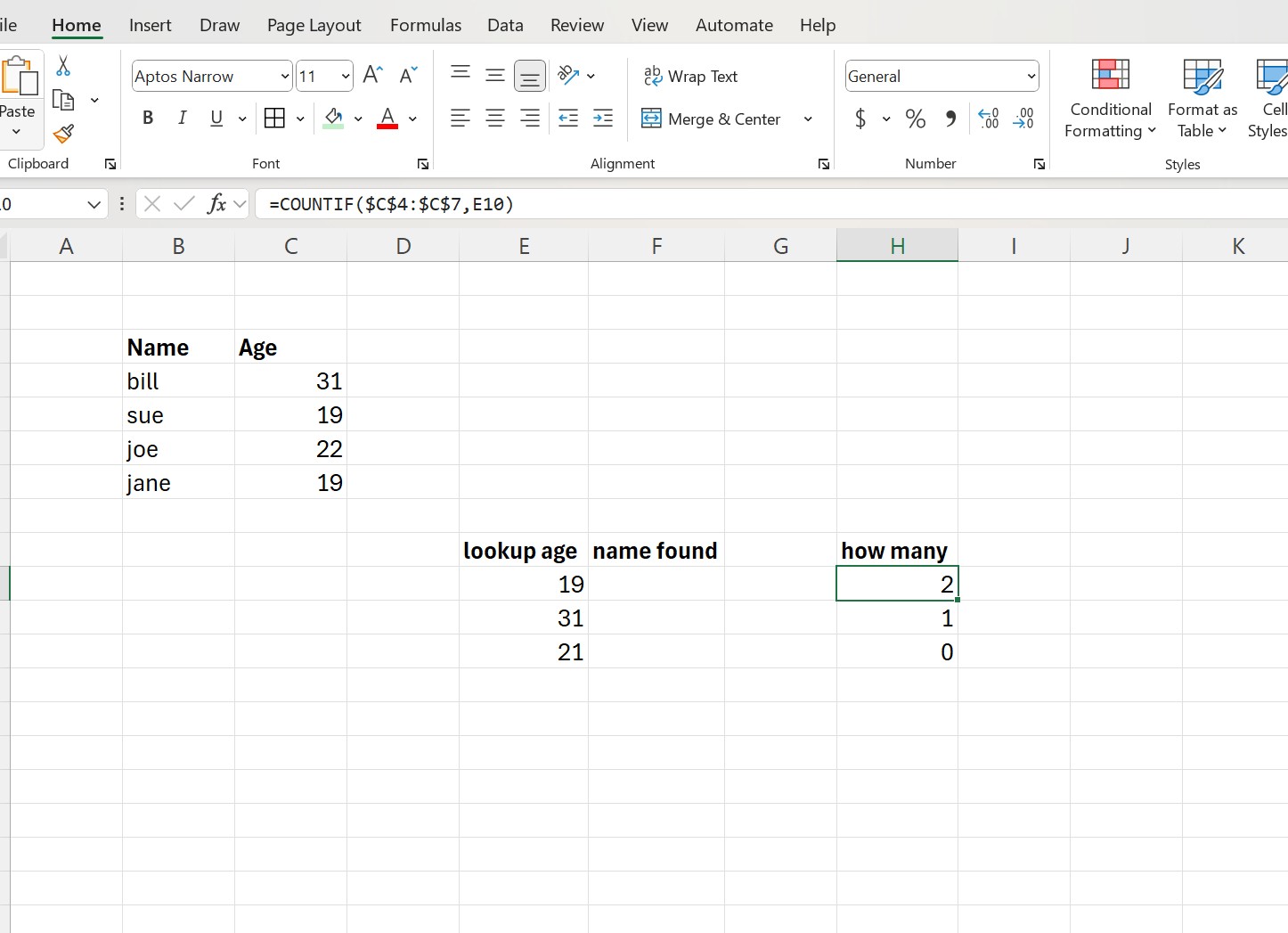
In COMM.240, we learned basic Excel functions and formulas. The =COUNT function counts the number of cells in a selected range that contain numbers only (it ignores text and blanks).
Above is the =COUNTIF function, which counts the number of cells in a range that meet one specific condition you set. In this example, we are only counting the names that equal 19.
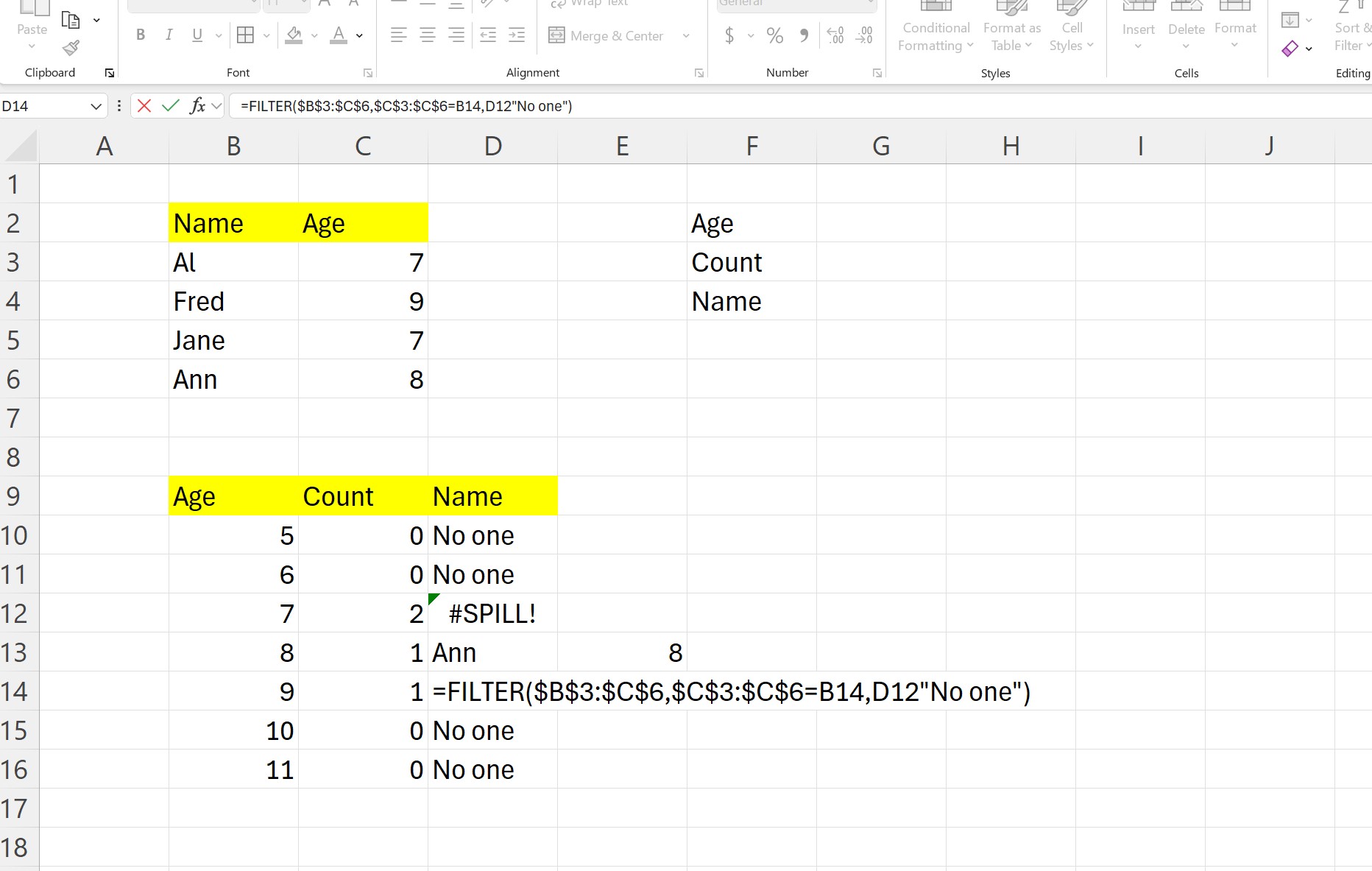
The =FILTER function in Excel returns only the data that meets specific criteria, automatically removing everything else. An array is the range of data you want to filter, including which rows to keep and, if empty, what to show if no data meet the conditions.
There is also a SPILL featured, which I will demonstrate how to fix in the next section.
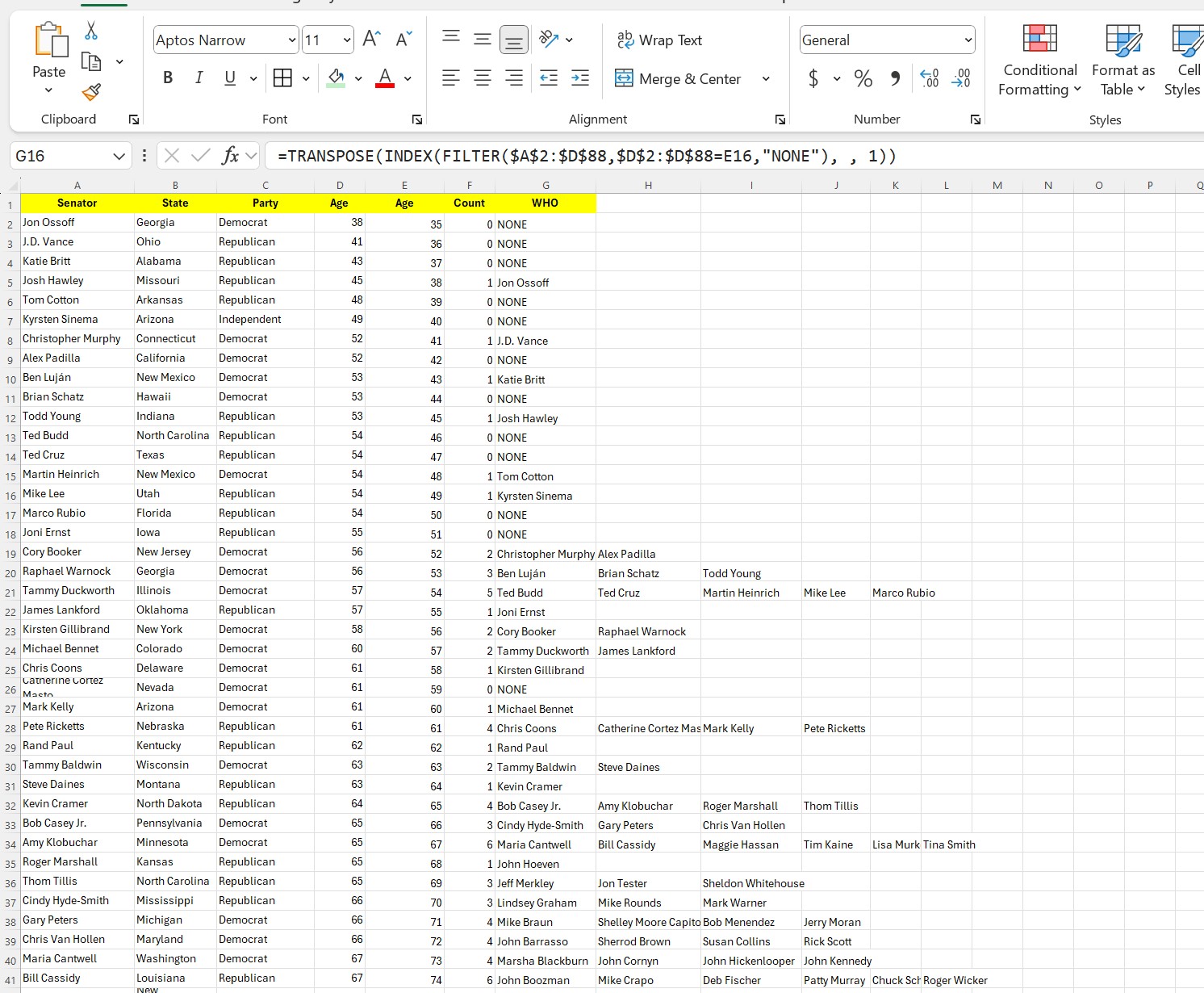
Here, we took data from U.S. senators and their ages. We used the COUNT and FILTER functions. To prevent SPILL, which means EXCEL can not display all names because there is nowhere for it to go, you must use =TRANSPOSE(INDEX( previous to the filter functions.
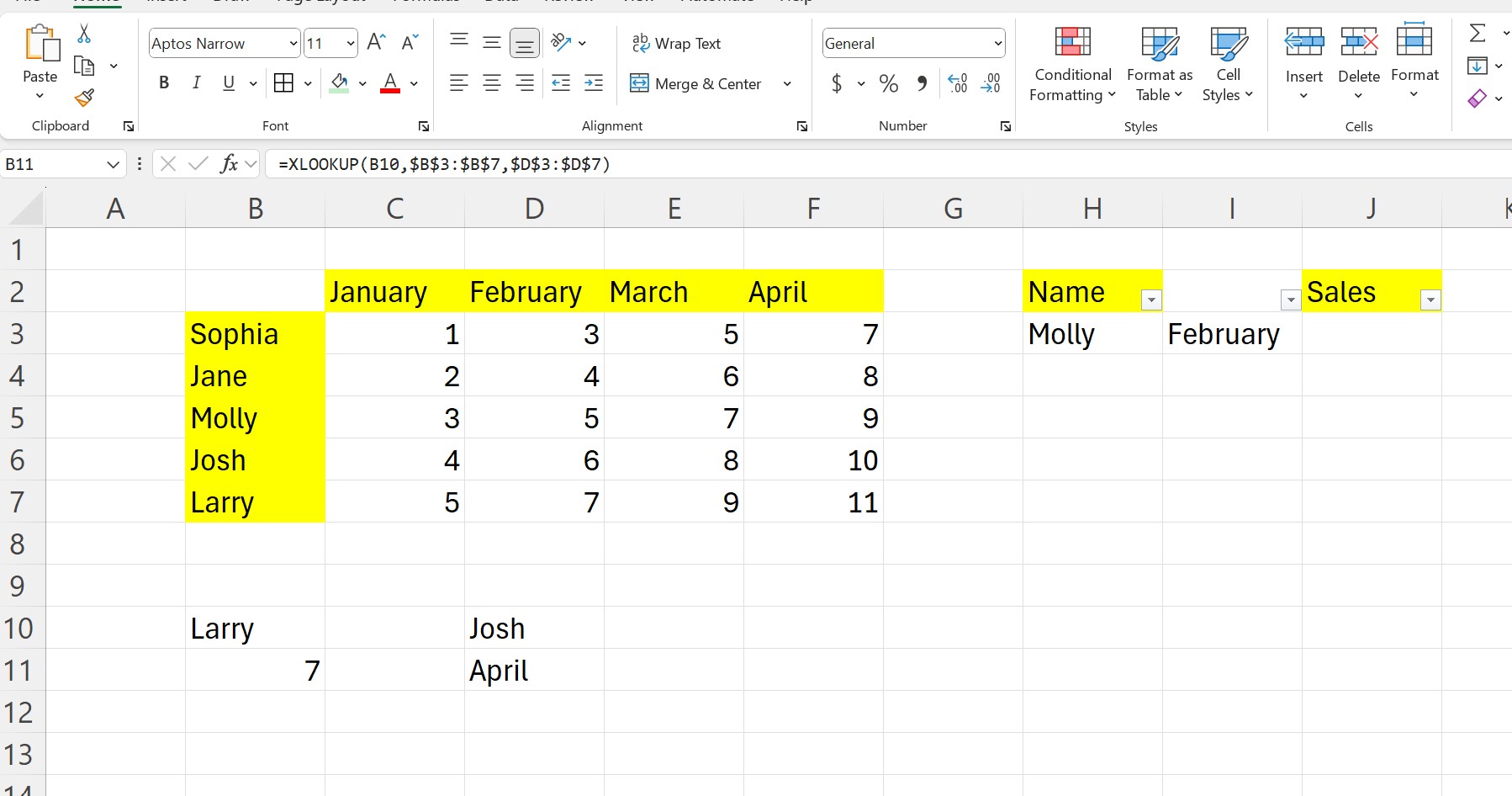
=XLOOKUP is an Excel function used to find and return matching data from a table or range. It works by selecting the lookup_value: the value you want to find, lookup_array: the range where Excel looks for that value, return_array: the range containing the value you want returned, if_not_found (optional): what to show if no match is found.
Above, I use the XLOOKUP to find the age of Larry, which is 7. I have the filter on B10, which allows me to shuffle through the names and change the value in B11.
(347) 563-4522
1 Old Ferry Road, Bristol RI 02809